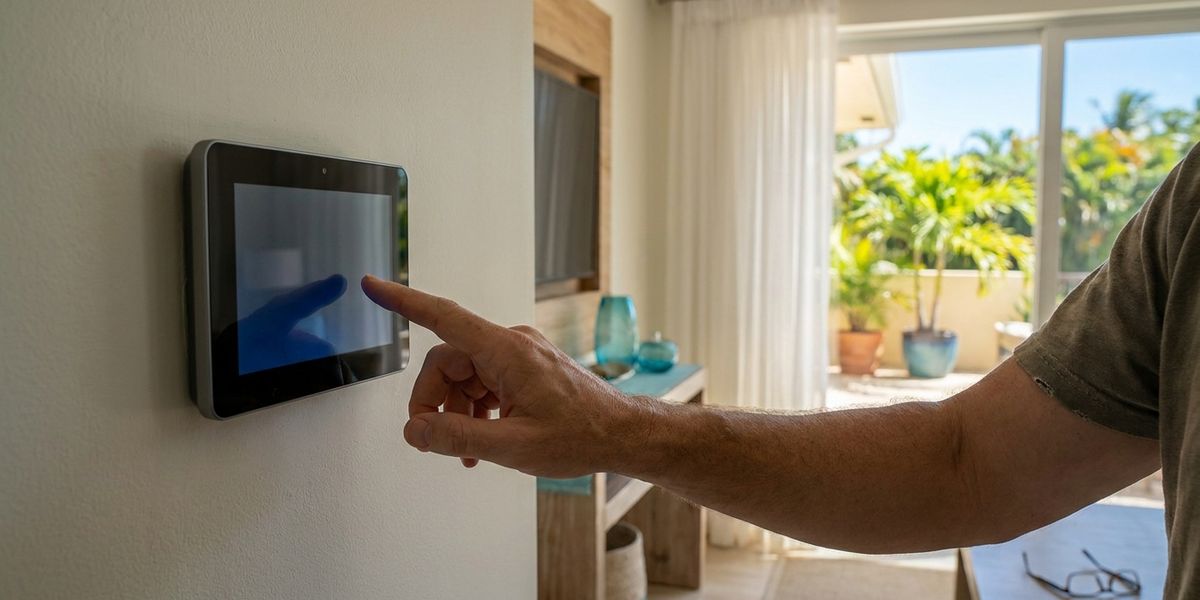
Sometimes the air conditioner is perfectly fine — it's the thermostat that's failing to tell it what to do. A blank screen, a unit that won't kick on, or a room that never reaches the temperature you set can all trace back to the little box on the wall. And because the thermostat is the cheapest part of your system to check, it's the right place to start before you assume the worst.
Here's how to tell whether your thermostat is the problem, what you can safely fix yourself, and when the issue is actually the AC behind it.
Start Here: Quick Checks
Run these first — they solve a surprising share of "thermostat not working" calls:
- Set it to COOL and drop it 3–4 degrees below the room temperature. Listen for the system to start.
- Replace the batteries (if it's battery-powered). A blank or glitchy screen is very often just dead batteries.
- Check the breaker for both the air handler and the thermostat circuit — a tripped breaker kills power to the thermostat.
- Confirm it's not in "hold," "schedule," or "fan-only" mode by accident.
If none of that brings it to life, match your symptom below.
Common Thermostat Problems (and What They Mean)
Blank or Dead Screen
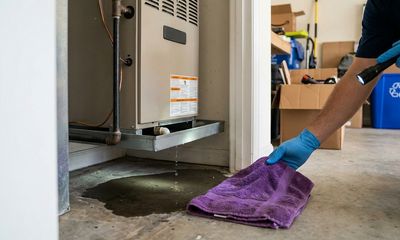
A blank thermostat usually means no power: dead batteries, a tripped breaker, a blown low-voltage fuse, or — very common in Florida — a condensate float switch that has shut the system down because the drain pan is full. That last one looks like a dead thermostat but is really a drainage problem.
DIY check: New batteries, check the breaker, and look for standing water in the AC drain pan (a tripped float switch cuts thermostat power on purpose). When to call a pro: If power doesn't return after batteries and breaker — it's wiring, the fuse, or the float switch.
It Won't Turn the AC On
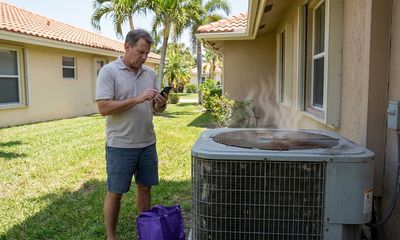
If the screen works but the system won't start when you call for cooling, the issue is often loose or corroded wiring, a miscalibrated thermostat, or a control-board problem in the air handler.
DIY check: Confirm COOL mode and a setpoint below room temp. Gently check that the wires behind the thermostat are seated (power off first). When to call a pro: If settings are right but nothing happens. Our thermostat repair team tests the wiring and the signal to the unit.
The Room Never Reaches the Set Temperature
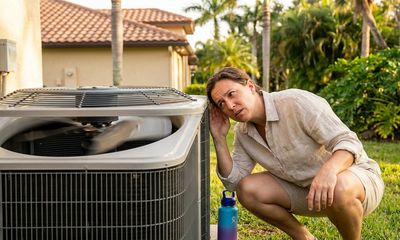
If the thermostat reads 78 but the house feels warmer (or it runs nonstop without hitting the setpoint), the thermostat may be placed badly (in direct sun, near a vent or lamp) or reading inaccurately — or the issue isn't the thermostat at all, but the AC struggling with Florida's humidity load. (If the air isn't cold, see why your AC isn't cooling.)
DIY check: Note whether the air from the vents is actually cold. Make sure the thermostat isn't in sun or near a heat source. When to call a pro: If the air is cold but the house won't cool, or the reading seems off — calibration or placement needs a tech.
Smart Thermostat Won't Work With the AC
Newer Wi-Fi thermostats (Nest, Ecobee, Honeywell) are great, but many South Florida systems lack a "C-wire" (common wire) for steady power, causing the smart thermostat to drop offline, reboot, or fail to trigger cooling.
DIY check: Confirm Wi-Fi and that the device is charged/powered. When to call a pro: C-wire issues need a technician to add the wire or a proper adapter — a common upgrade we handle.
The South Florida Factor
- Float-switch shutdowns masquerade as thermostat failures here more than anywhere, because our humidity fills condensate pans fast. Always check the drain pan when a thermostat goes dark.
- Humidity vs. temperature: a thermostat only reads temperature. On a sticky day a correctly-set system can still feel uncomfortable because the real issue is moisture removal, not the number on the wall.
- Power surges from afternoon storms can scramble or damage thermostats and control boards — a sudden thermostat failure after a storm is a story we hear all season.
When It's the Thermostat vs. the AC
A simple rule: if air is blowing but it isn't cold, or nothing happens at all, and basic checks don't fix it — it's worth a professional diagnosis. A thermostat is cheap to replace; misdiagnosing a deeper AC fault as "just the thermostat" is the costly mistake. We test which it actually is before recommending anything.
When to Call Kyzar
Batteries, breaker, mode settings, and a quick drain-pan check are all fair game for a homeowner. Beyond that — wiring, float switches, control boards, or a smart-thermostat C-wire — call a licensed tech. We dispatch same-day from two local offices:
- West Palm Beach & Palm Beach County: AC repair in West Palm Beach
- Port St. Lucie & the Treasure Coast: AC repair in Port St. Lucie
We'll tell you honestly whether it's a $0 setting fix, a thermostat swap, or something behind it — and we install and configure smart thermostats too. Book online in 7 seconds or call today.
Frequently Asked Questions
Why is my thermostat screen blank?
The most common causes are dead batteries, a tripped breaker, a blown low-voltage fuse, or — very common in Florida — a condensate float switch that cut power because the AC drain pan is full. Replace the batteries, check the breaker, and look for standing water in the drain pan. If it stays blank, it's wiring or the float switch and needs a technician.
How do I know if it's my thermostat or my AC?
Check whether cold air is coming from the vents. If the thermostat is dark or the system won't respond to a correct COOL setting, the thermostat (or its power/wiring) is the likely culprit. If the air blows but isn't cold, the problem is in the AC itself, not the thermostat. When basic checks don't resolve it, a quick professional diagnosis settles it.
Can I replace a thermostat myself?
A like-for-like swap is doable for a handy homeowner, but Florida adds wrinkles — low-voltage wiring, float-switch integration, and the missing C-wire that many smart thermostats need. If you're upgrading to a Wi-Fi thermostat or the wiring isn't obvious, have a technician do it so you don't damage the control board.
Why does my smart thermostat keep going offline?
Usually a missing or weak "C-wire" (common wire) that smart thermostats rely on for steady power. Without it, the device borrows power in a way that causes reboots and dropouts. A technician can add a C-wire or install an adapter so the thermostat runs reliably.
How fast can you come out in West Palm Beach or Port St. Lucie?
Usually same day. We dispatch locally from our West Palm Beach and Port St. Lucie offices and can typically reach homes across Palm Beach County and the Treasure Coast within hours of your call.